شرایط المان (Element Conditions)
شرایط المان (Element Conditions) یک یا چند شرط برای هر المان تعریف میکنند. فقط با برآورده شدن شرطها المان در frontend رندر میشود.
شرایط server-side validate میشوند و المان را بر اساس داده (post، user، dynamic data، date & time و غیره) فیلتر/عدم load میکنند.
عدم رندر یعنی HTML المان در source code وجود ندارد.
برای محدود کردن محتوا به کاربران logged-in یا role مشخص (membership)، مخفی کردن اطلاعات time-sensitive بر اساس weekday/date/time یا dynamic data عالی است.
برای قدرت programmatic کامل از filter Bricks bricks/element/render استفاده کنید.
دسترسی به conditions
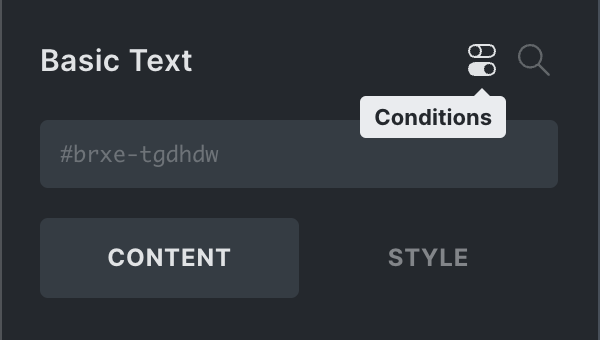
هنگام ویرایش المان، آیکون «Conditions» (toggle) در header پنل را برای باز/بسته کردن interface بزنید. اگر المان condition دارد، آیکون در structure panel هم هست — کلیک برای jump مستقیم.
نحوه کار element conditions
حداقل یک set شرط باید برآورده شود — یعنی همه conditions داخل یک set باید true باشند.
رابطه OR بین setها و AND بین conditions داخل set.
برای اولین set، «+» کنار عنوان «Conditions»:
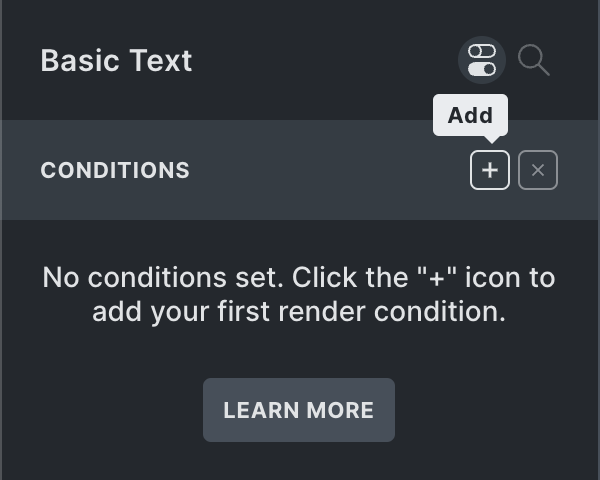
یک set با یک condition داریم. هر condition سه property:
- Key (post ID، user role، date، dynamic data و غیره)
- Comparison operand (==، !=، >، <، contains، before، after و غیره)
- Value (numeric، text، checkbox، select option(s) و غیره)
مثال: نمایش فقط به logged-in users:
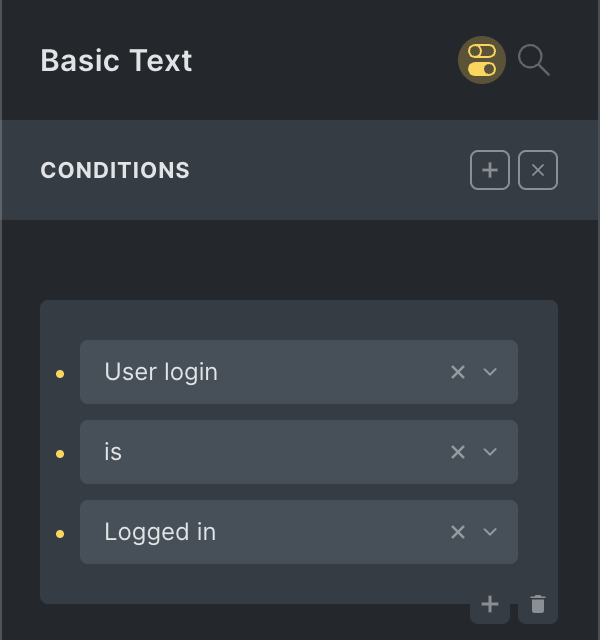
فقط وقتی بیننده logged in است رندر میشود.
مهمان، bot و crawler المان را نمیبینند (در source نیست).
نشانگر Conditions
آیکون «Conditions» highlight شده در اسکرینشات — در یک نگاه condition دارد یا نه.
آیکون در structure panel برای scan سریع — کلیک برای ورود به interface.
بررسی چند condition
بین setها OR — داخل set AND.
set دوم (دوباره «+» بالا-راست): true اگر post title «Account» باشد.
با OR، المan رندر میشود اگر (1) user logged in OR (2) title «Account» باشد.
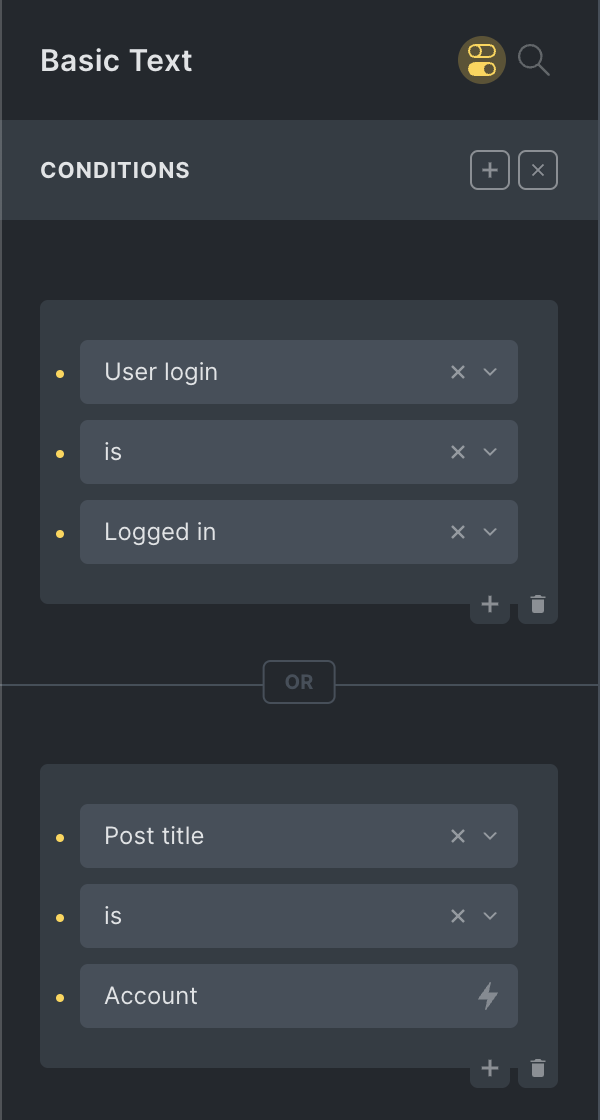
ترکیب AND و OR
شرط اضافه: user قبل از 1 Jan 2022 ثبتنام کرده.
داخل set اول «+» پایین-راست condition دوم:
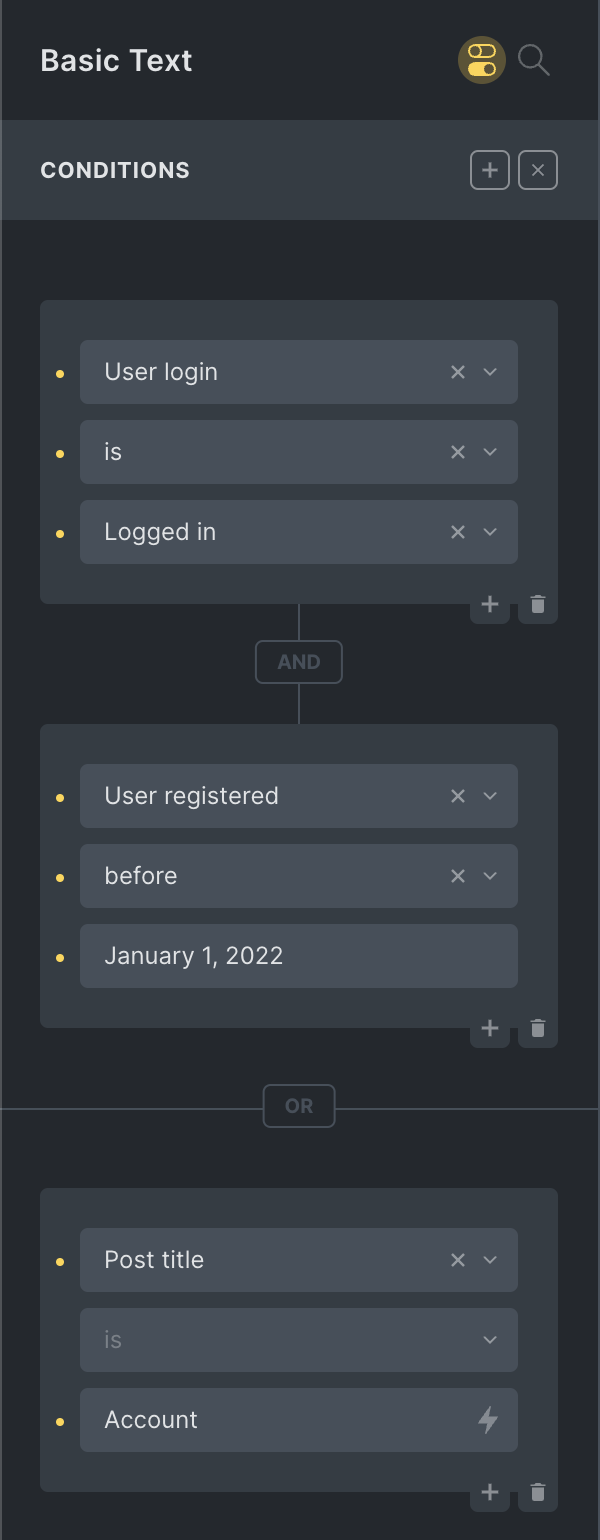
برچسب عمودی «AND» بین conditions در set.
برچسب افقی «OR» بین setها.
مقایسه dynamic data با value
یادداشت
شرایط المان بهطور پیشفرض با label مقایسه میکنند.
برخی فیلدهای dynamic data provider value و label دارند (مثلاً ACF true false، Metabox checkbox list، radio، select).
برای مقایسه با value از filter :value:
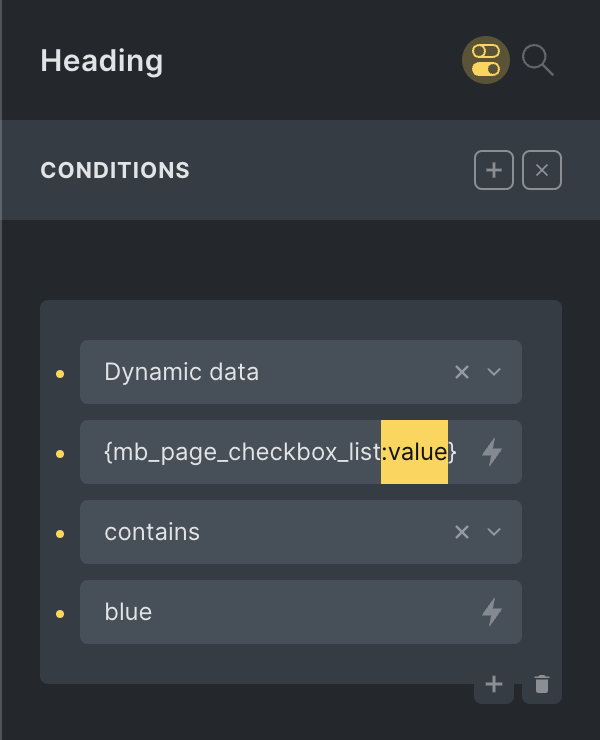
در مثال، condition وقتی Metabox checkbox list مقدار blue انتخاب شده برقرار است. بدون :value با label option مقایسه میشود.
Element Conditions API
برای توسعهدهندگانی که interface پیشفرض را programmatically گسترش میدهند (@since 1.8.4).
condition سفارشی باید شبیه مثال زیر باشد:
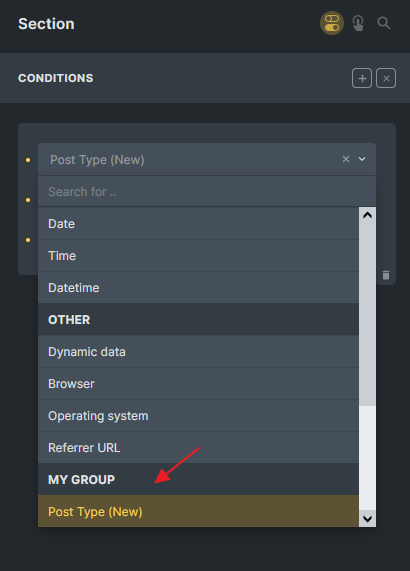
مرحله ۱: افزودن condition group با filter: bricks/conditions/groups
add_filter( 'bricks/conditions/groups', 'add_my_condition_group' );
function add_my_condition_group( $groups ) {
  // Ensure your group name is unique (best to prefix it)
  $groups[] = [
    'name'  => 'my_group',
    'label' => esc_html__( 'My Group', 'my-plugin' ),
  ];

  return $groups;
}
مرحله ۲: افزودن گزینه condition با filter: bricks/conditions/options
condition جدید: مقایسه post type صفحه فعلی با value کاربر. compare dropdown «is» و «is not». value نوع text.
add_filter( 'bricks/conditions/options', 'add_my_custom_condition' );
function add_my_custom_condition( $options ) {
  // Ensure key is unique, and that group exists
  $options[] = [
    'key'   => 'my_post_type',
    'label' => esc_html__( 'Post Type (New)', 'my-plugin' ),
    'group' => 'my_group',
    'compare' => [
      'type'        => 'select',
      'options'     =>  [
        '==' => esc_html__( 'is', 'my-plugin' ),
        '!=' => esc_html__( 'is not', 'my-plugin' ),
      ],
      'placeholder' => esc_html__( 'is', 'my-plugin' ),
    ],
    'value'   => [
      'type'        => 'text',
    ],
  ];

  return $options;
}
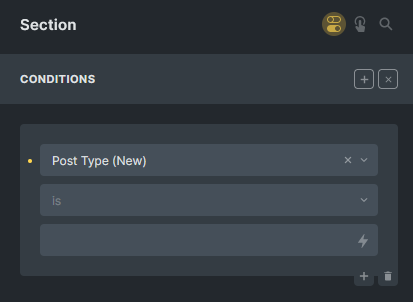
مرحله ۳: اجرای logic و Boolean با filter: bricks/conditions/result
بر اساس logic سفارشی true یا false برگردانید. Bricks OR و AND را handle میکند.
مثال: post type فعلی با value کاربر:
add_filter( 'bricks/conditions/result', 'run_my_custom_condition', 10, 3 );
function run_my_custom_condition( $result, $condition_key, $condition ) {
  // If $condition_key is not 'my_post_type', we return the $render as it is
  if ( $condition_key !== 'my_post_type' ) {
    return $result;
  }

  // Now you can perform your logic by using the $condition variable
  // $condition['compare'] is the compare operator, might be empty
  // $condition['value'] is the user value, might be empty

  // In my example, if compare is empty, we set it to '==' as default
  $compare    = isset( $condition['compare'] ) ? $condition['compare'] : '==';
  $user_value = isset( $condition['value'] ) ? $condition['value'] : '';

  $condition_met = false;

  // Get the current post type of the page
  $current_post_type = get_post_type();

  switch( $compare ) {
    case '==': // "is"
      $condition_met = $current_post_type === $user_value;
      break;
    case '!=': // "is not"
      $condition_met = $current_post_type !== $user_value;
      break;
  }

  return $condition_met;
}
اگر چند option در یک group دارید:
add_filter( 'bricks/conditions/result', 'run_my_custom_condition', 10, 3 );
function run_my_custom_condition( $result, $condition_key, $condition ) {

  $condition_options = \Bricks\Conditions::$options;
  $registered_condition = $condition_options[ $condition_key ];
  if ( $registered_condition['group'] !== 'my_group' ) {
    return $result;
  }
  // Now you can perform your logic by using the $condition variable
  // $condition['compare'] is the compare operator, might be empty
  // $condition['value'] is the user value, might be empty

  $condition_met= false;

  switch( $condition_key ) {
    case 'my_condition_option_1':
      // Example
      $condition_met = execute_my_logic_1( $condition );
      break;
    case 'my_condition_option_2':
      // Example
      $condition_met = execute_my_logic_2( $condition );
      break;
  }

  return $condition_met;
}