نمونه Nestable Slider
Nestable Slider از 1.5 با کتابخانه SplideJS معرفی شد.
این مقاله برای توسعهدهندگان — دسترسی و سفارشیسازی Splide instance.
همه instanceهای Splide در window.bricksData.splideInstances ذخیره میشوند.
ابتدا ID یکتای Nestable Slider را پیدا کنید — در سازنده یا developer tools مرورگر.
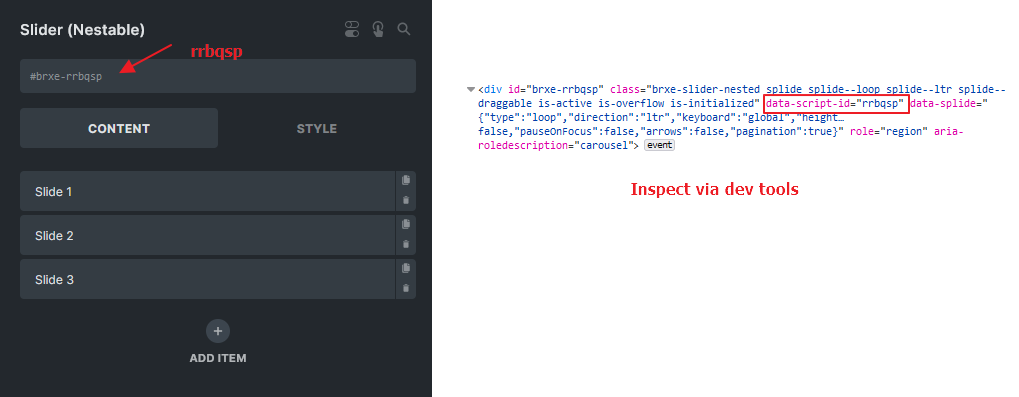
در مثال بالا: window.bricksData.splideInstances['rrbqsp']
یادداشت
اگر یک CSS ID سفارشی به Slider اختصاص دادهاید، توجه داشته باشید که این ID با element ID یکسان نیست. در این موارد باید element ID صحیح را از طریق developer tools مرورگر خود بهدست بیاورید.
بهروزرسانی optionهای Nestable Slider با JavaScript
هدف: noDrag برای همه Nestable Sliderهای صفحه.
<script>
document.addEventListener('DOMContentLoaded', (event) => {
  // Define a function to update the no-drag option for all splide instances on the page
  const updateNoDragOption = () => {
    for( const splideId in window.bricksData.splideInstances ) {
      const splideInstance = window.bricksData.splideInstances[splideId]
      if ( splideInstance ) {
        // Tell Splide that any elements with .no-drag class is not draggable
        splideInstance.options = { noDrag : '.no-drag' }
      }
    }
  }

  // Need some delay for Bricks to init the sliders
  setTimeout(updateNoDragOption, 250)
})
</script>
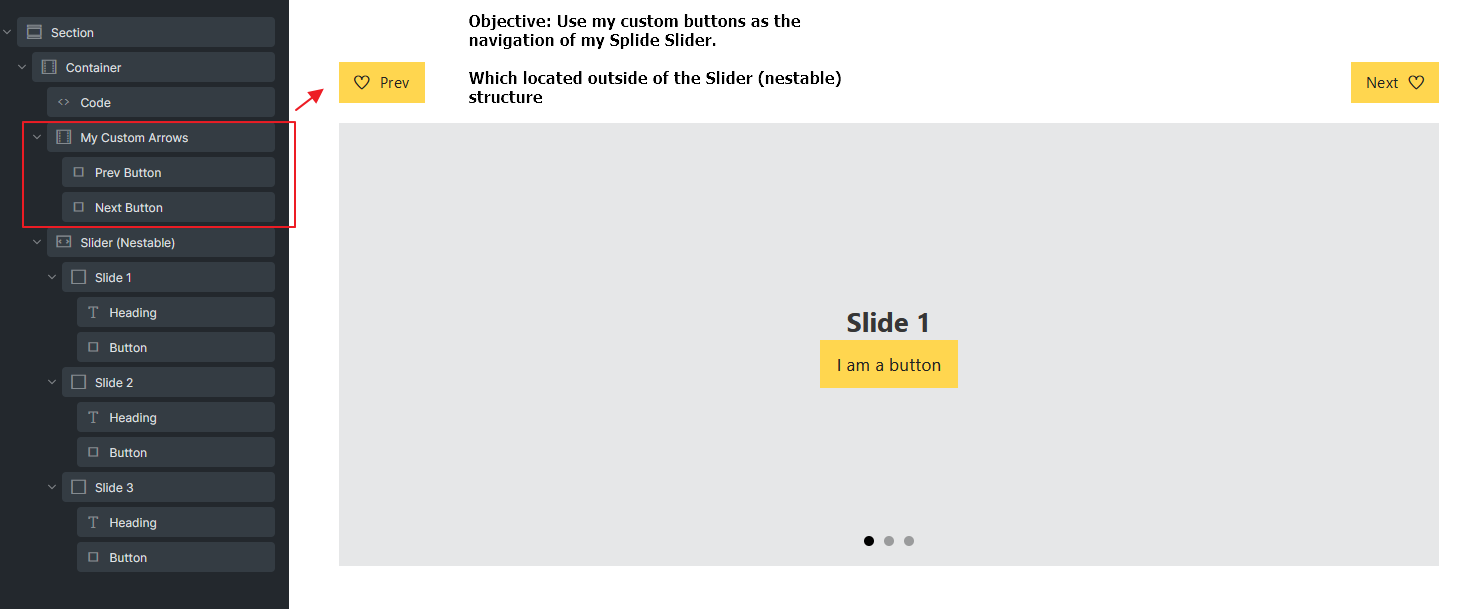
فلشهای navigation سفارشی خارج slider
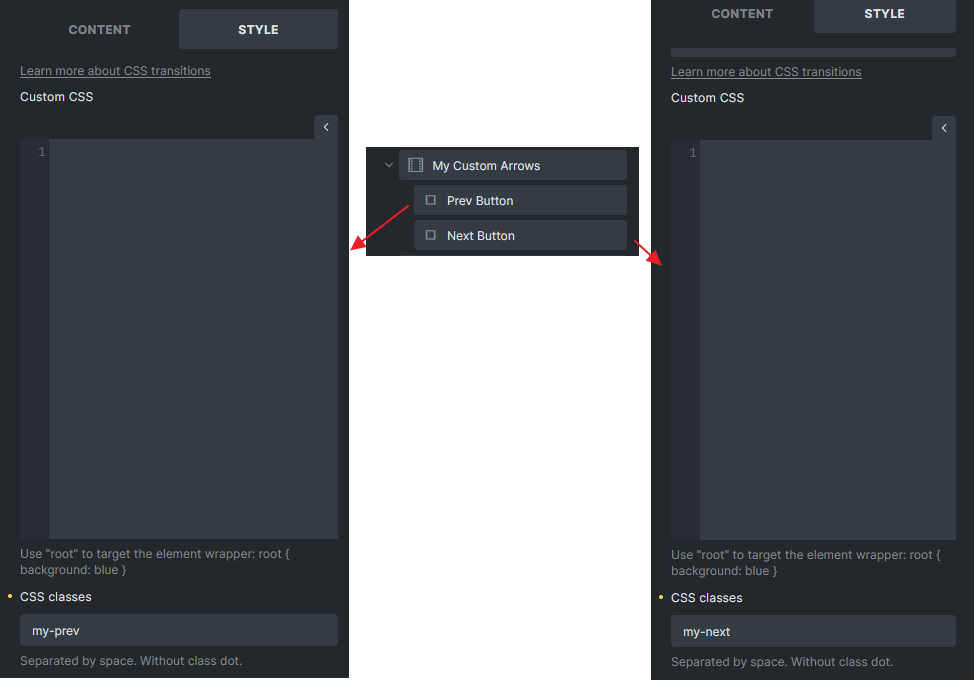
class یکتا برای دکمهها — my-prev و my-next:
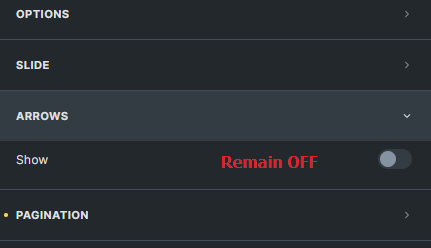
Code element — Execute code ON. Arrows slider OFF:
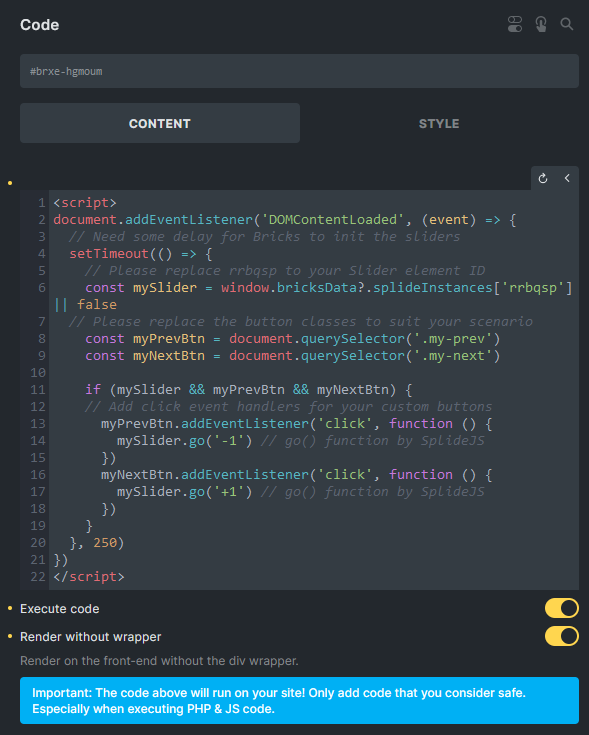
<script>
document.addEventListener('DOMContentLoaded', (event) => {
  // Give some times for Bricks to init the sliders
  setTimeout(() => {
    // Please replace rrbqsp to your Slider element ID !!NOT CSS ID!!
    const mySlider = window.bricksData?.splideInstances['rrbqsp'] || false
    // Please replace the button classes to suit your scenario
    const myPrevBtn = document.querySelector('.my-prev')
    const myNextBtn = document.querySelector('.my-next')

    if (mySlider && myPrevBtn && myNextBtn) {
      // Add click event handlers for your custom buttons
      myPrevBtn.addEventListener('click', function () {
        mySlider.go('-1') // go() function by SplideJS
      })
      myNextBtn.addEventListener('click', function () {
        mySlider.go('+1') // go() function by SplideJS
      })
    }
  }, 250)
})
</script>